
SEQATLAS FOR MAC
Capabilities
Explore genomes, plan constructs and review results in a Mac workspace. The application is in active development.
Keep sequence work together
Bring sequence records, annotations, primer sets and saved analyses into projects and folders.
The development build works with DNA and protein FASTA, GenBank/GBFF, SnapGene, EMBL and AB1 files. GFF3 and GTF annotations can be used with their corresponding sequence records.
Each tool has its own supported inputs and limits. Annotation-based operations need suitable annotations and matching sequence data.
Explore maps and annotations
Move between a whole-genome or plasmid view and the individual bases. Linear and circular maps keep annotated features in context while you search and inspect regions of interest.
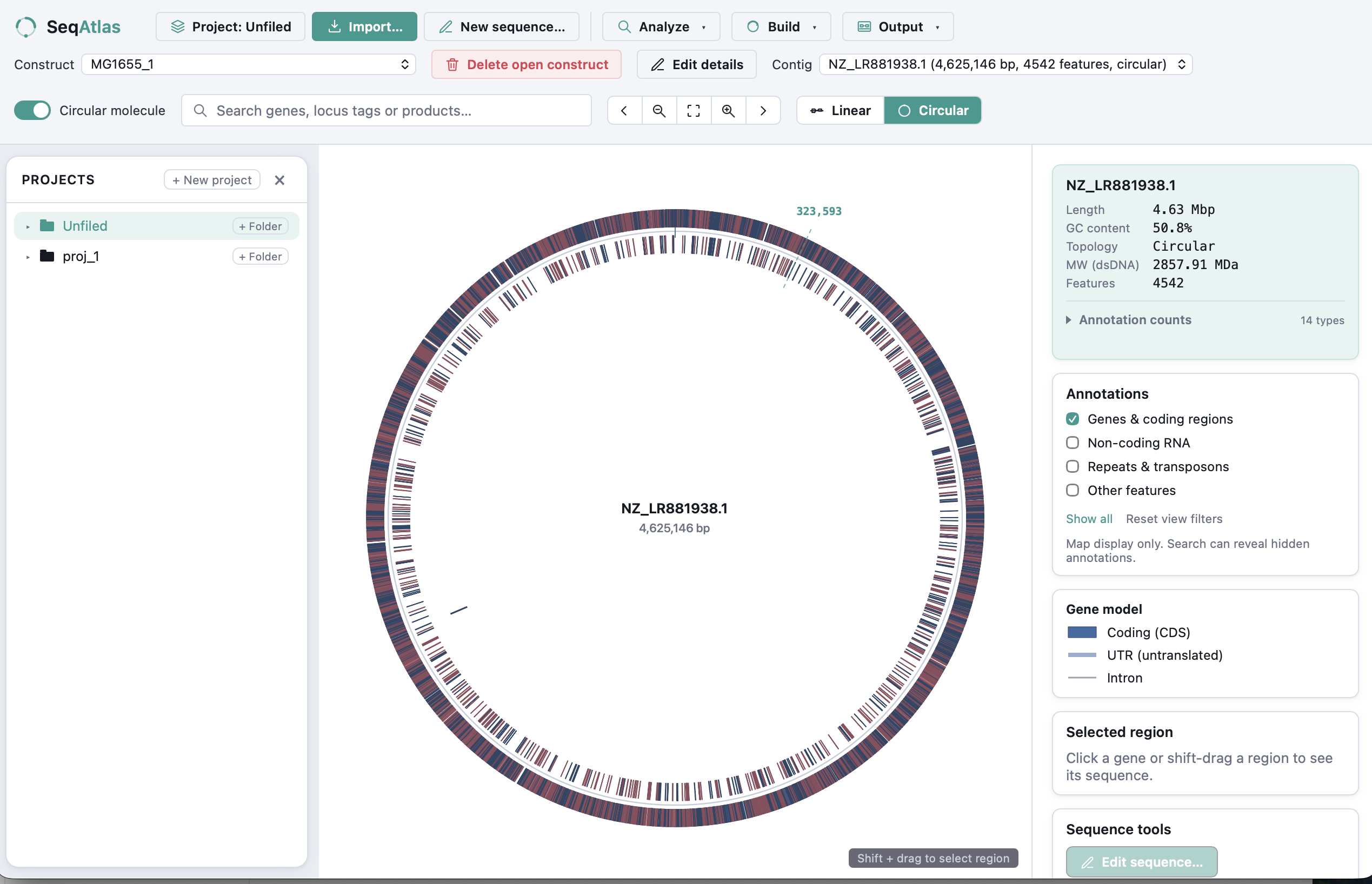
The genome overview brings annotation density, sequence statistics and display layers into the same view. Optional layers distinguish genes, non-coding RNA, repeats and other features.
A closer look at gene structure
Zoomed views keep exon and intron structure aligned with the coordinate scale and strand direction.

Work with regions, transcripts and proteins
Extract genomic regions or annotated coding sequences, choose transcripts and generate protein sequences from suitable bacterial and eukaryotic records.
Reverse-complement sequences, inspect translations and save edited constructs with their annotations. CDS and transcript results depend on the structure and completeness of the supplied annotations.
Plan a construct before the experiment
Review predicted fragments and assembled sequences before moving to the bench.
- Restriction digests and ligation
- PCR product previews
- Gibson assembly
- Golden Gate assembly
Inspect recognition sites, cut coordinates and sticky ends. Save fragments or assembled constructs while retaining their annotations.
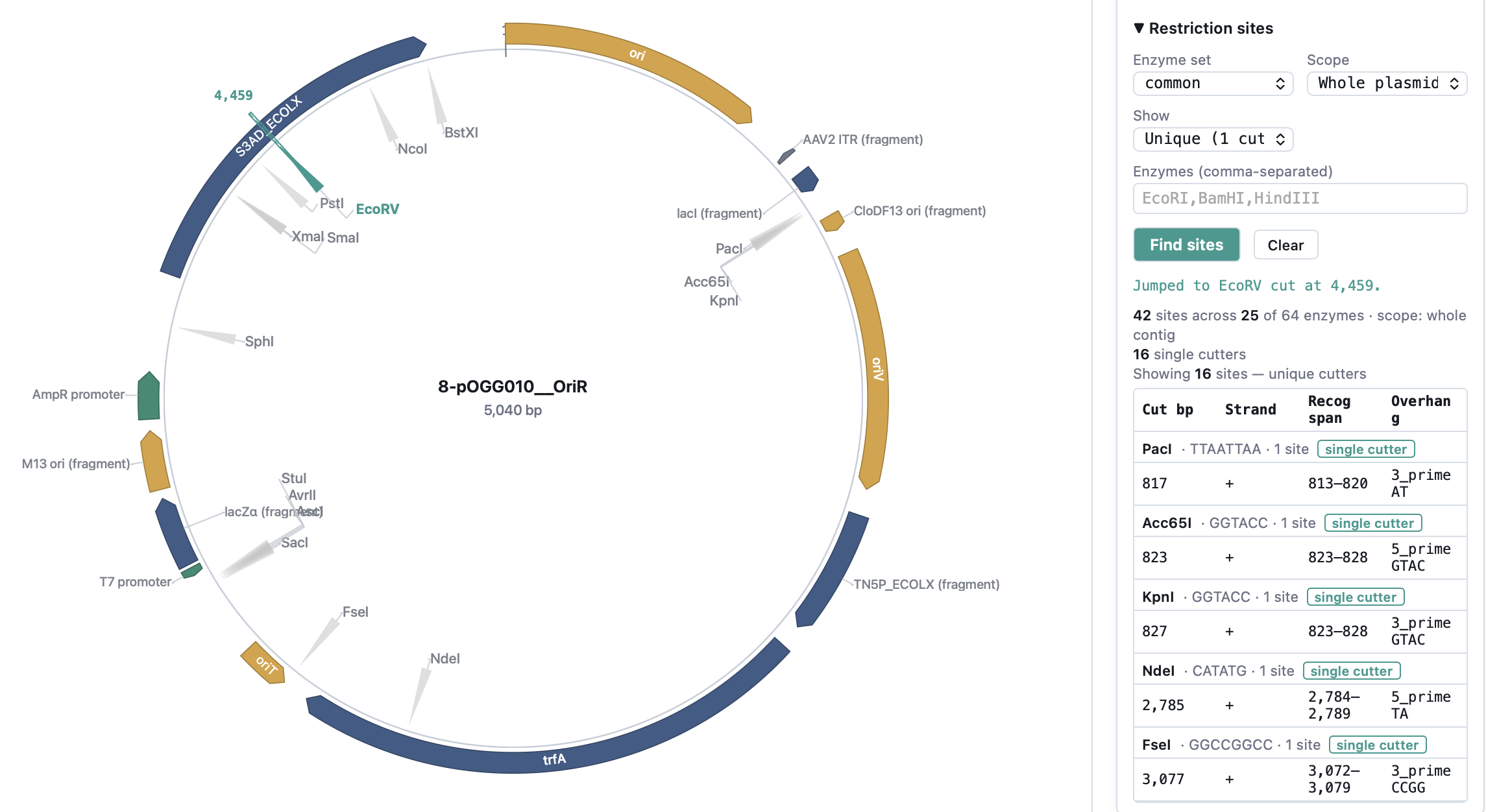
Design primers in sequence context
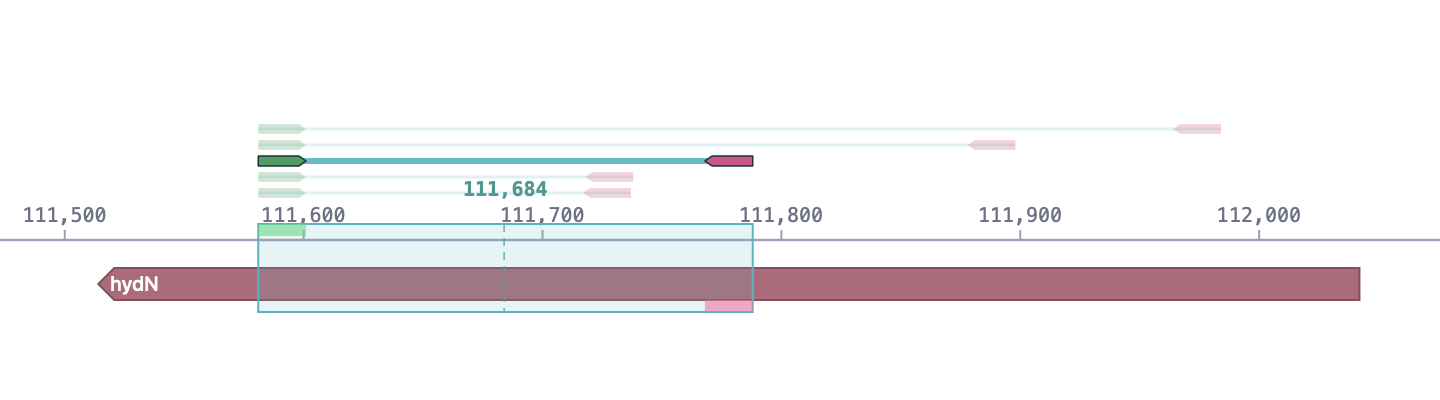
Primer3-based tools support PCR and Gibson primer design. Add restriction-site tails, inspect binding sites and predicted products, then keep or export the selected primer sets.
Reading the example
The earlier browser view shows a primer pair above hydN, with the intended PCR region aligned to the sequence coordinates.
Predictions support experimental planning and require independent checks.
Search locally and compare sequences
Use local BLAST against genomic sequence, annotated CDS or translated proteins. Inspect matches on the map and compare DNA or protein pairs to examine differences.
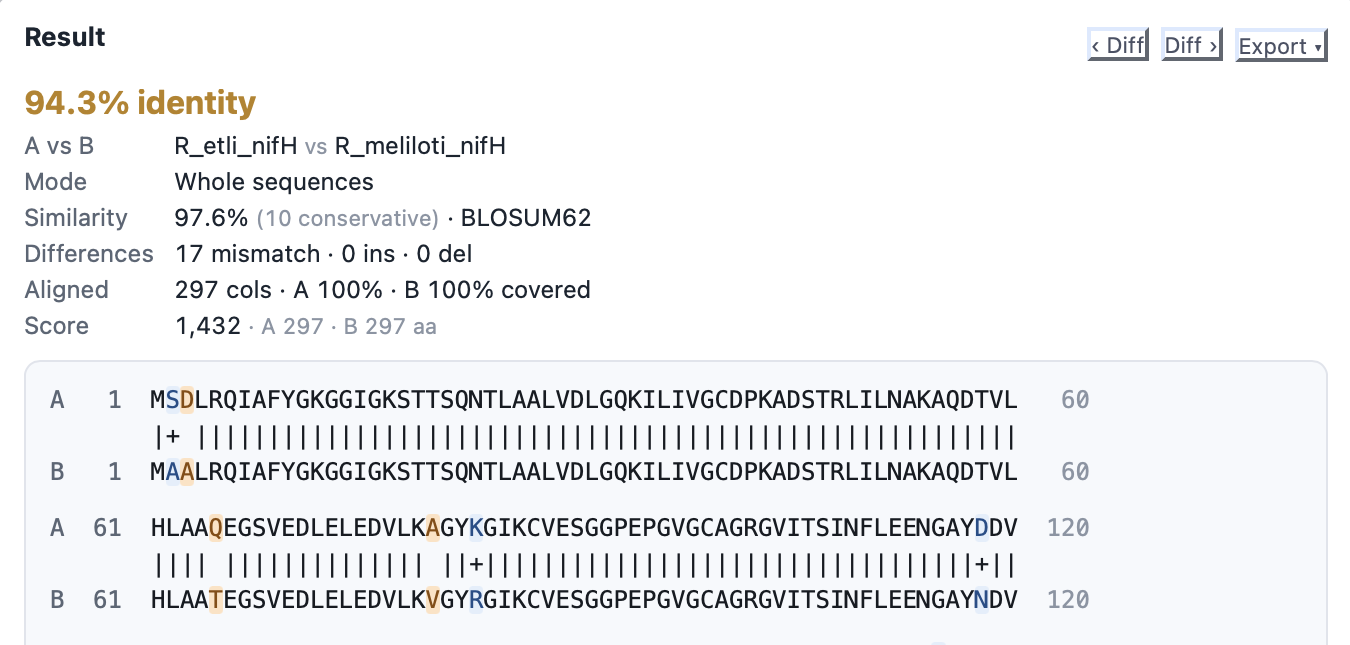
This earlier browser example shows differences and alignment statistics for two protein sequences. Core search and comparison analyses run locally on the Mac.
Read chromatograms alongside a reference
Open AB1 traces to inspect called bases and quality information where it is available.
Check AB1 brings multiple reads into a reference comparison so you can examine discrepancies, covered regions and gaps. Save the analysis alongside the rest of the project.
Inspect CRISPR guide candidates
Identify candidate guides for SpCas9 and AsCas12a, inspect their sequence positions and compare them with local reference genomes for possible off-target matches.
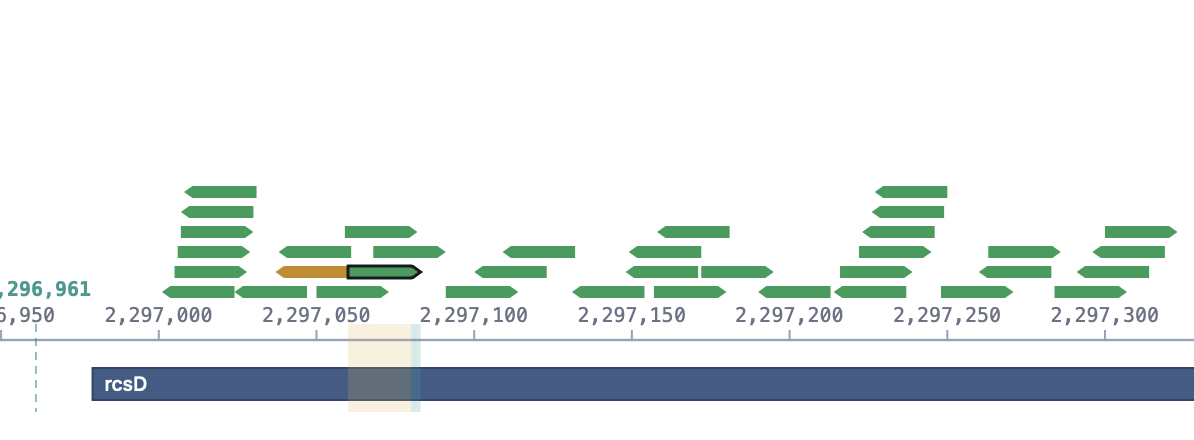
The selected candidate stays aligned with the coordinate scale and annotated sequence. Arrows show candidate positions and strand direction.
Optional SpCas9 activity estimates are based on sequence. Guide rankings and off-target searches are predictions with method and reference limits; they do not establish experimental activity or specificity.
Review and adapt codon choices
Inspect codon usage and optimise supported coding sequences against selected host tables while keeping the encoded protein unchanged.
Screen for selected restriction sites or sequence patterns and remove them within the supported optimisation workflow. The result still needs sequence and experimental validation.
Export results and preserve projects
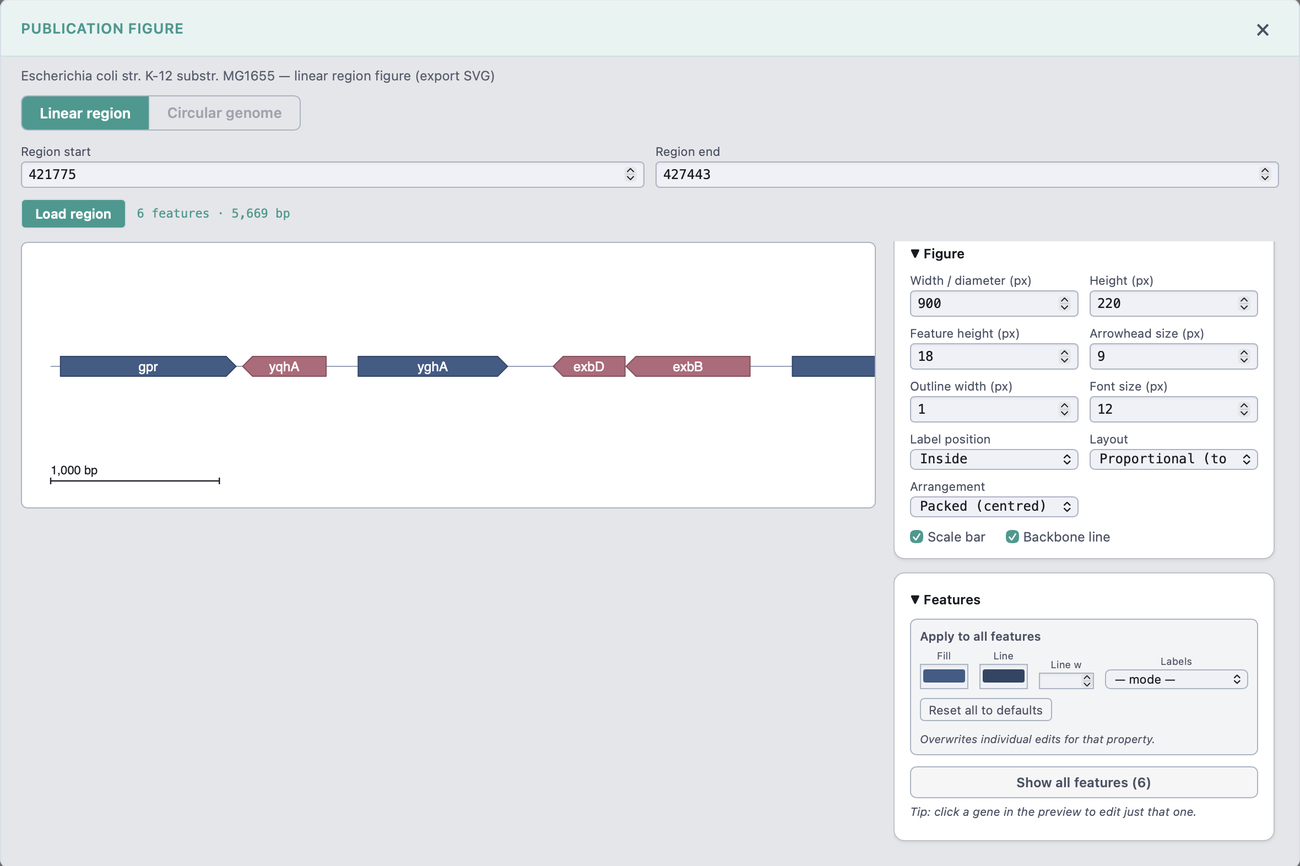
Export sequence records, annotations and analysis results. Create figures in editable SVG or PDF and PNG formats.
The pictured figure controls are from the earlier browser interface. Local backup and restore tools are part of the Mac project workflow.
In development for Mac
Follow the scope and status of the application.
Development status